Yealink MeetingBoard Pro Malaysia: 65, 75 & 86 Inch | Kasturi

Kasturi Technology, Authorised Yealink Partner

One screen for the meeting.
One board for the ideas.

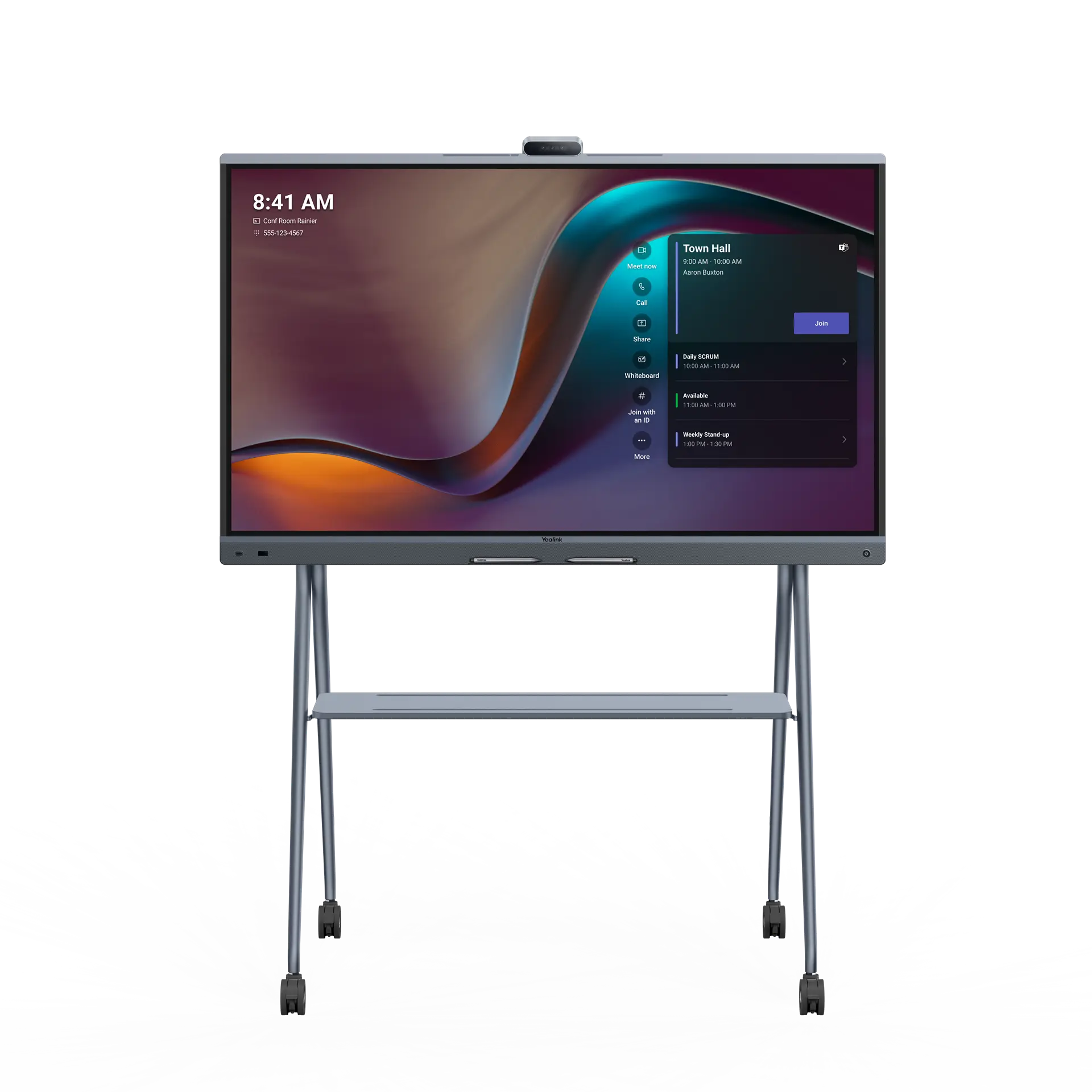
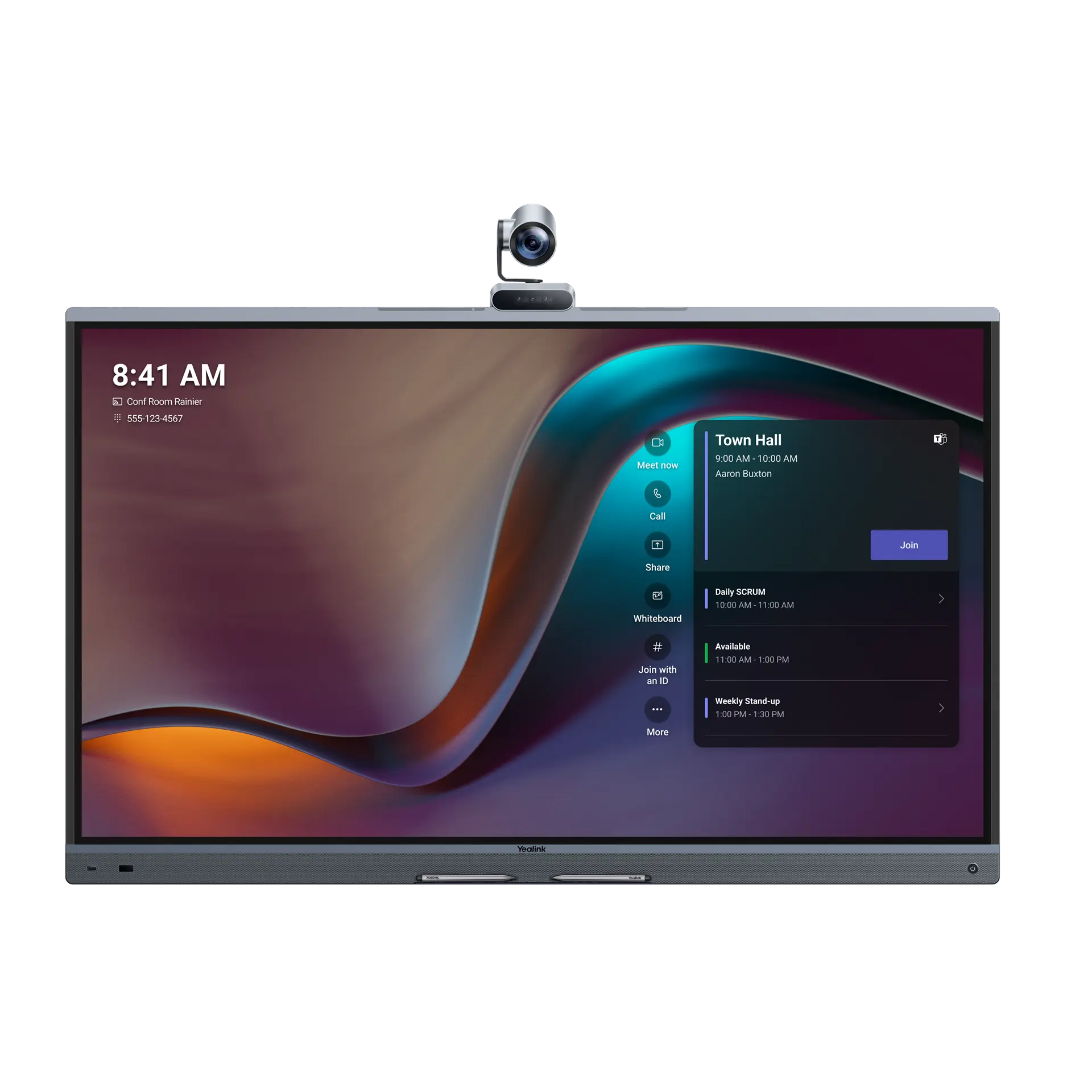
The Yealink MeetingBoard Pro is an all-in-one interactive whiteboard for Microsoft Teams Rooms and Zoom Rooms. Compare the 65, 75 and 86 inch sizes by room fit, then get a current Malaysia quotation or arrange a demo.

Three MeetingBoard Pro sizes Teams Rooms and Zoom Rooms certified Quote-only in Malaysia
Yealink MeetingBoard Pro all-in-one interactive whiteboard for Microsoft Teams Rooms
Which MeetingBoard Pro size should you buy?

Choose the 65 inch model for small to medium rooms and manager offices. Choose the 75 inch model for medium rooms and boardrooms. Choose the 86 inch model for large rooms and training rooms. All three share the same triple 50MP AI camera, 16-microphone array, 4K smart ink and BYOD support, so the final choice should also weigh room depth, layout and mounting.

Room-fit model chooser

Start with the space you need to cover

This quick guide uses Yealink's published room guidance. Kasturi will confirm viewing distance, acoustics and installation conditions before the final quotation.

Choose the closest room type

65″

Suggested starting point

MeetingBoard 65 Pro

A 65 inch touch board for small to medium rooms and manager offices, with the same camera, mic and ink engine as every other size.

Room capacity alone is not enough. Long tables, reflective rooms, accessible mounting heights and multi-display requirements can change the right design.

Price MeetingBoard 65 Pro

Want Kasturi to size it for you?

Send the room headcount, depth, platform and preferred location for the display.

Request a recommendation

Built-in hardware

A video bar, a screen and a whiteboard, built into one device

Every MeetingBoard Pro size runs the same camera, microphone and ink engine. Choosing a size is purely about how far the room needs the screen to be seen.

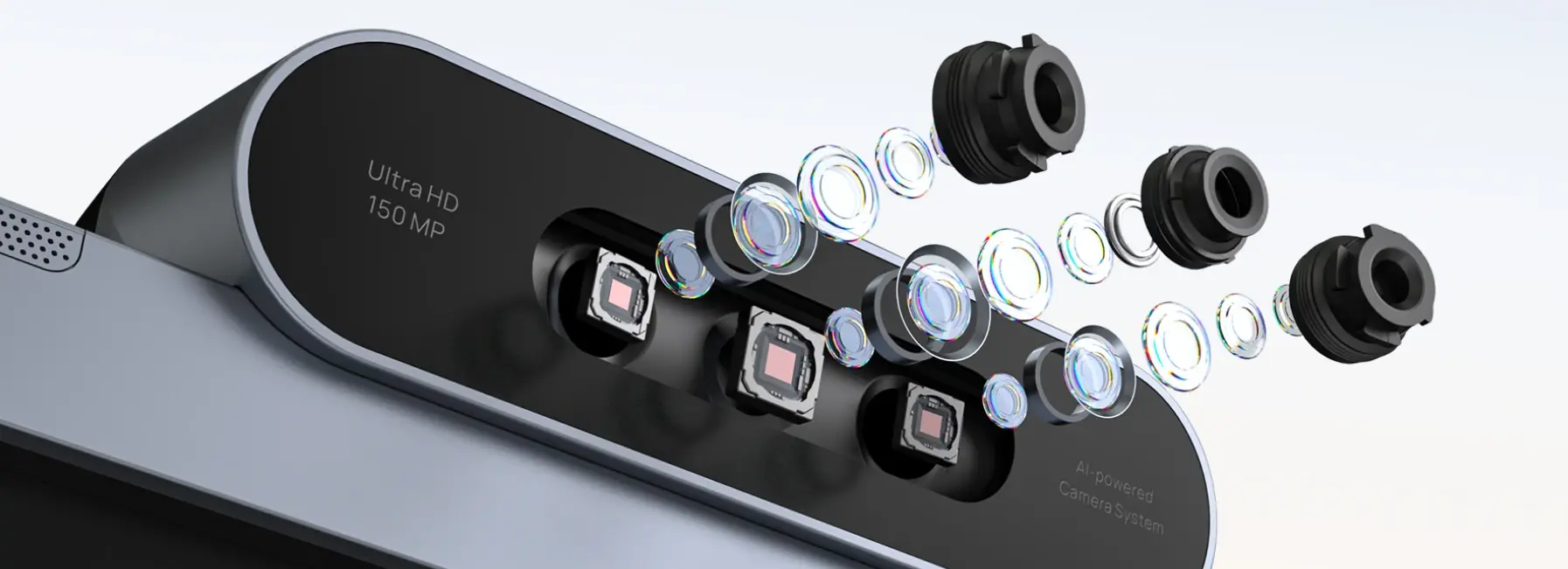
Yealink MeetingBoard Pro triple-eye 50MP AI camera system
Camera system

Triple-Eye 50MP AI Camera

One wide lens and two telephoto lenses, each with a 50MP Sony sensor, paired with 4x digital zoom, a 120 degree field of view and a dedicated AI video processor.

  • Auto Framing & Speaker Tracking
  • Multi-Focus Framing
  • Picture-in-Picture
  • IntelliFocus & Video Fence
Yealink MeetingBoard Pro 16-microphone array and 6 speakers
Audio system

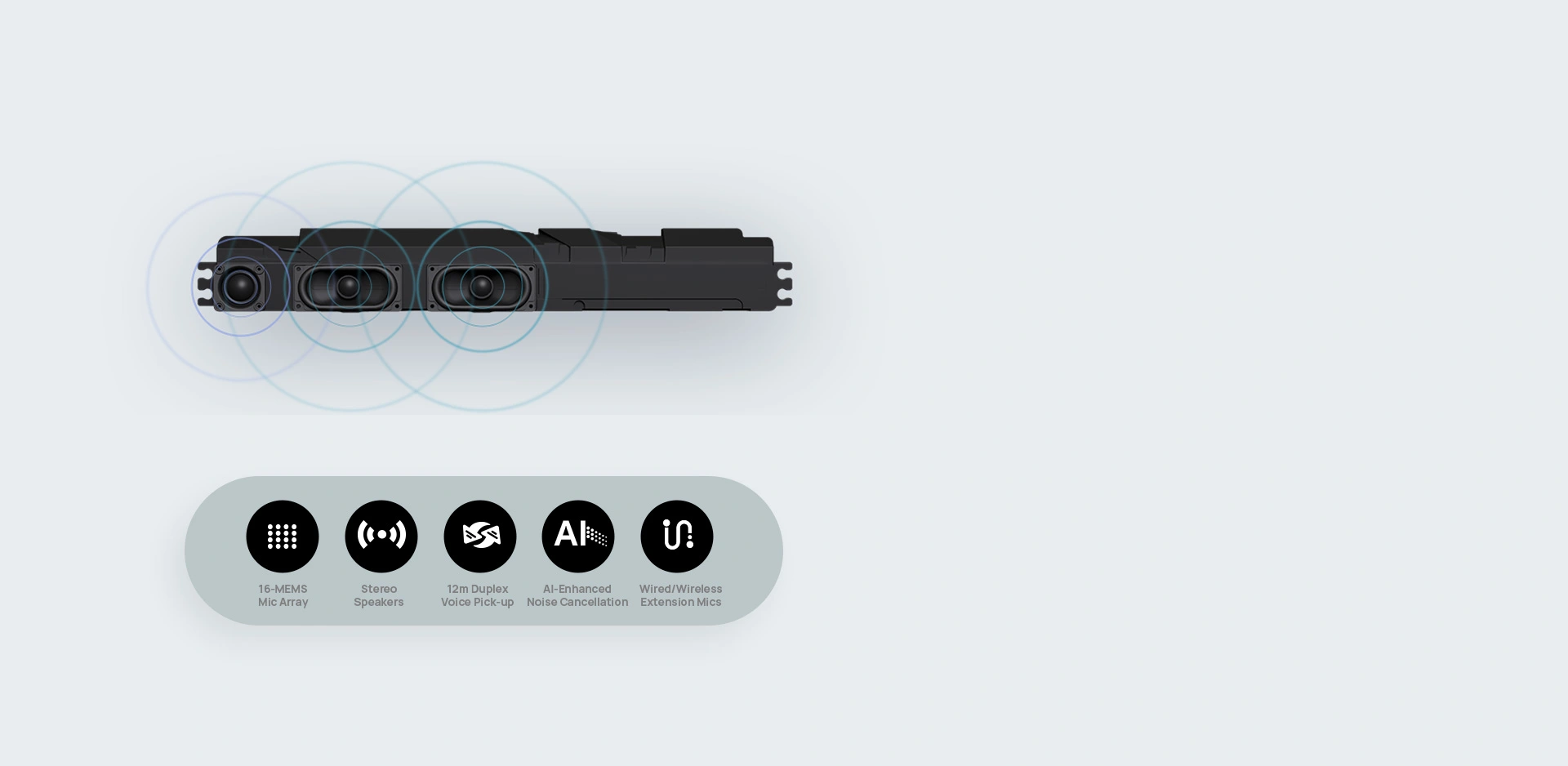
16-Mic Array & 6 Speakers

A 16-microphone MEMS beamforming array with AI noise cancellation gives full-duplex pickup up to 12 metres, backed by 6 built-in speakers for immersive stereo sound.

  • Full-duplex pickup to 12m
  • AI noise cancellation
  • 6 built-in speakers
  • Supports external wired, wireless and ceiling mics
Yealink MeetingBoard Pro 4K touch display with smart ink
Touch & ink

4K Touch Display & Smart Ink

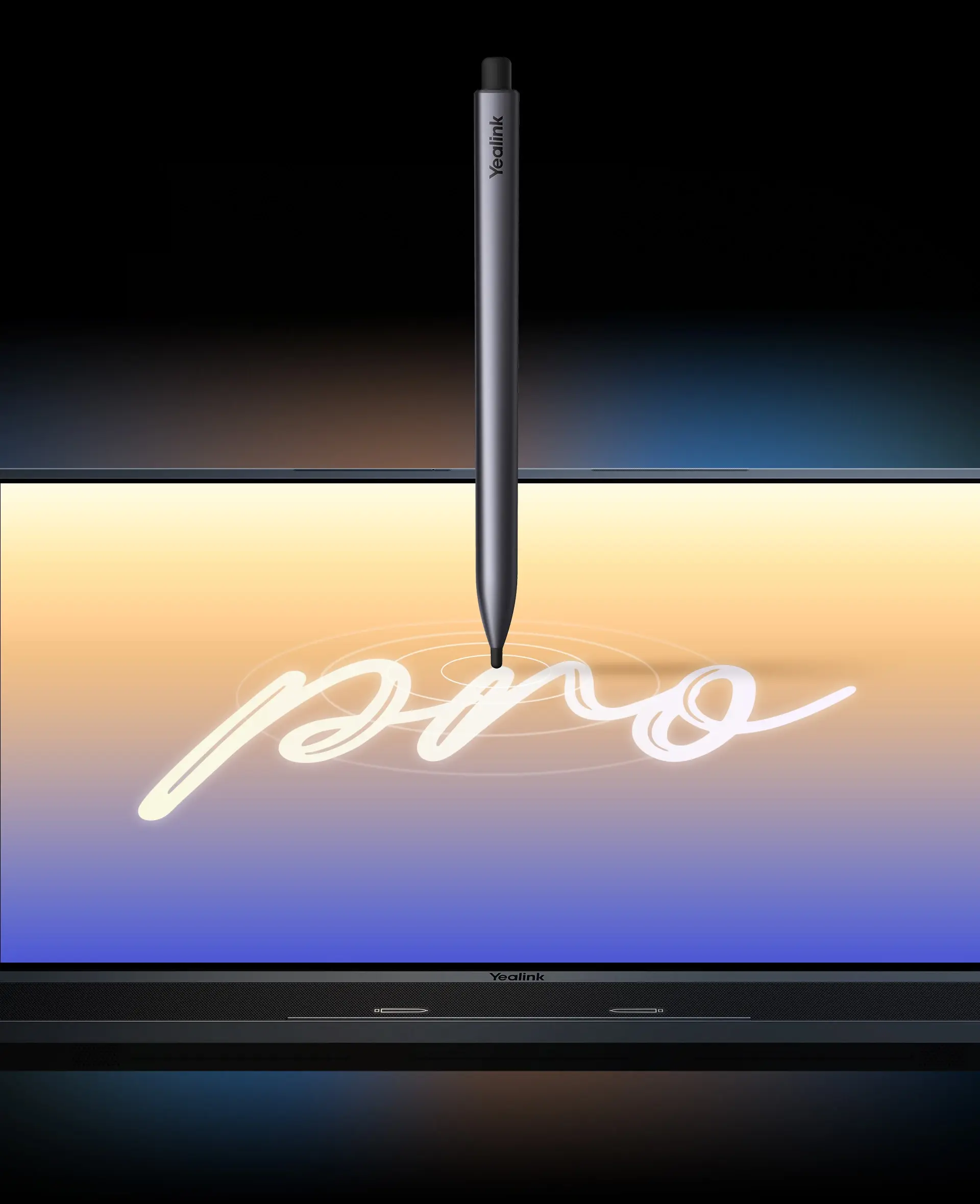
Four-level smart digital ink writes with the pen tip, navigates with a finger and erases with the pen tail, with palm rejection and multiple people able to write at once.

  • 4K UHD touch display, 20-point multitouch
  • Multi-user simultaneous inking
  • Palm rejection
  • Powered by Microsoft Whiteboard

MeetingBoard Pro range

65 Pro, 75 Pro and 86 Pro

All three run Android 13 with Microsoft Teams Rooms and Zoom Rooms certification, plus General Mode for BYOD, H.323 and SIP deployments.

Yealink MeetingBoard 65 Pro

Small to medium rooms, manager offices

MeetingBoard 65 Pro

The compact size for a small to medium meeting room or manager office, where the group sits close enough for a 65 inch display to feel natural.

  • 65 inch 4K UHD touch display, 20-point multitouch
  • Recommended mount height: about 1470mm
  • Same triple 50MP camera and 16-mic array as every size
  • General Mode covers BYOD, H.323 and SIP
  • Wall mount bracket and 4 stylus pens included
Yealink MeetingBoard 75 Pro

Medium rooms and boardrooms

MeetingBoard 75 Pro

The middle size for medium rooms and boardrooms that need a larger canvas for whiteboarding without stepping up to the largest panel.

  • 75 inch panel: 1678 x 1031 x 83mm
  • Typical power draw 250W, up to 400W
  • Wi-Fi, Bluetooth, Ethernet, HDMI in/out, USB-A and USB-C
  • Managed through YDMP and YMCS
  • Wall mount bracket, remote control and 4 stylus pens included
Yealink MeetingBoard 86 Pro

Large rooms and training rooms

MeetingBoard 86 Pro

The largest size for large rooms and training rooms, where a bigger screen and mounting height keep content visible from the back row.

  • 86 inch 4K UHD touch display, 20-point multitouch
  • Recommended mount height: about 1580mm
  • Same triple 50MP camera and 16-mic array as every size
  • General Mode covers BYOD, H.323 and SIP
  • 4 stylus pens and full cable pack included

Three-size comparison

Compare the practical buying differences

Specifications below were checked against Yealink's published datasheet and support documentation on 24 July 2026. Platform status can change with software releases.

Decision point65 Pro75 Pro86 Pro
Primary fitSmall to medium rooms, manager officesMedium rooms and boardroomsLarge rooms and training rooms
Screen65 inch 4K UHD touch75 inch 4K UHD touch86 inch 4K UHD touch
Recommended mount heightAbout 1470mmBetween the 65 and 86 inch guidanceAbout 1580mm
CameraTriple-eye system on every size: one wide lens plus two telephoto lenses, 50MP each, 4x digital zoom, 120 degree field of view.
Microphones & speakers16-microphone MEMS beamforming array with AI noise cancellation, full-duplex pickup to 12 metres, 6 built-in speakers on every size.
Touch & inkFour-level smart digital ink, multi-user simultaneous writing, palm rejection, powered by Microsoft Whiteboard on every size.
PlatformMicrosoft Teams Rooms certified, Zoom Rooms Appliance variant, General Mode covers BYOD, H.323 and SIP for other platforms.
ManagementYealink Device Management Platform (YDMP) and Yealink Management Cloud Service (YMCS) on every size.
Platform checkConfirm the chosen size, native platform, BYOD or General Mode requirements and current licensing in the quotation.

Deployment guidance

Plan the whole room, not just the screen

Platform

Microsoft Teams Rooms certified, with a Zoom Rooms Appliance variant and General Mode covering BYOD, H.323 and SIP. Licences are separate from the hardware quote unless stated.

BYOD

USB-C and USB-A peripheral mode let a connected laptop use the board's camera, microphones, speakers and display. Laptop ports and cable routing still need checking.

Mounting

Check wall structure, viewing height, service access and cable routing. Recommended heights range from about 1470mm on the 65 inch to about 1580mm on the 86 inch.

Management

YDMP and YMCS support centralised monitoring and updates. Your support model should define ownership for updates, alerts and escalation.

Deployment

Network, power (typical 250W, up to 400W), cabling, room acoustics and user training affect reliability. These items should appear in the project scope.

Buyer outcomes

A clearer case for technical and commercial teams

For IT and facilities

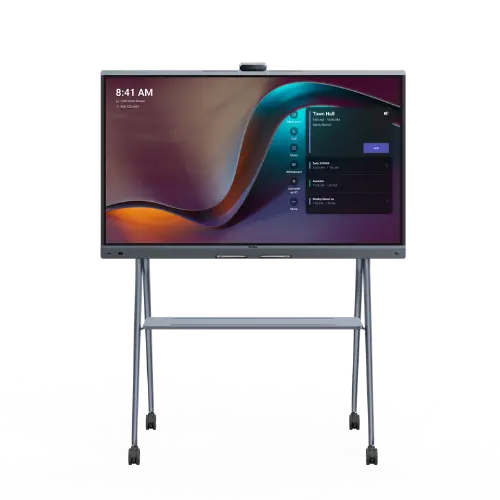
Standardise room controls, reduce separate devices, plan remote management through YDMP and YMCS, and document a repeatable deployment. Facilities teams can choose wall or trolley mounting that keeps the display usable and serviceable.

For owners and procurement

Compare the complete project scope: hardware, mounts, licences, installation, cabling, training and support. A qualified quotation makes competing proposals easier to evaluate on the same basis.

Kasturi delivery process

From room brief to supported handover

Consult

Review room sizes, platforms, users, quantities, timelines and locations.

Design

Select the size, mounting, cabling and licence assumptions for each room type.

Install

Confirm site scope, position equipment and complete agreed cabling and configuration.

Train

Show room users and support staff how to start meetings, share content and use BYOD.

Support

Document warranty and support coverage in the quotation, then hand over the agreed escalation path.

Need one board or a multi-room standard?

Use the same brief to price a single room, a pilot or a phased rollout.

Brief Kasturi
Authorised
Yealink reseller

Kasturi Technology

A Malaysian AV team for the room around the device

Kasturi advises, supplies, installs, trains and supports MeetingBoard Pro deployments. The quotation states the exact sizes, project scope, warranty basis and exclusions, so your team can approve the purchase with fewer assumptions.

  • Room and platform consultation
  • Mounting and cabling scope
  • User and administrator training
  • Documented support handover

System suitability

All-in-one board or modular room system?

Choose an all-in-one MeetingBoard Pro when

A single touch display can cover the room, users need a simple front-of-room experience, the built-in camera and audio reach suit the seating layout, and quick standardisation across rooms matters.

Choose a modular room design when

The room needs multiple displays, external or tracking cameras, expanded microphone coverage, distributed loudspeakers, complex control, divisible layouts or integration with other AV systems.

Buyer questions

MeetingBoard Pro Malaysia FAQs

What is the Yealink MeetingBoard Pro?

The Yealink MeetingBoard Pro is an all-in-one interactive whiteboard for Microsoft Teams Rooms and Zoom Rooms. It combines a 4K touch display, a triple 50MP AI camera, a 16-microphone beamforming array and 6 built-in speakers in a single unit, so a meeting room gets a video bar, a large screen and a digital writing surface without separate devices.

Which MeetingBoard Pro size fits my room?

Choose the 65 inch model for small to medium rooms and manager offices. Choose the 75 inch model for medium rooms and boardrooms. Choose the 86 inch model for large rooms and training rooms. Kasturi will also check room depth, seating layout and mounting before recommending a size.

What is the Yealink MeetingBoard Pro price in Malaysia?

MeetingBoard Pro is quote-only in Malaysia. The current quotation depends on the size, mount, quantity, platform licensing, installation, cabling and project location. Send the room details for a quotation in Malaysian Ringgit.

Does MeetingBoard Pro support BYOD or work with a laptop?

Yes. General Mode gives MeetingBoard Pro a USB-C and USB-A peripheral mode, so a connected laptop can use the board's camera, microphones, speakers and display, alongside H.323 and SIP support for other platforms. The selected platform and laptop configuration still need to be checked.

What camera and AI features does MeetingBoard Pro have?

MeetingBoard Pro has a triple-eye camera system: one wide lens and two telephoto lenses with 4x digital zoom and a 120 degree field of view, driven by a dedicated AI video processor. AI features include Auto Framing, Speaker Tracking, Multi-Focus Framing, Picture-in-Picture, IntelliFocus and Video Fence.

How many microphones and speakers does MeetingBoard Pro have, and what is the pickup range?

MeetingBoard Pro has a 16-microphone MEMS beamforming array with AI noise cancellation, giving full-duplex voice pickup up to 12 metres, and 6 built-in speakers for immersive stereo sound. It also supports external wired, wireless or ceiling microphones for rooms that need extended coverage.

Can multiple people write on the whiteboard at the same time?

Yes. The touch display supports four-level smart digital ink recognition: writing with the pen tip, navigating with a finger, erasing with the pen tail, and palm rejection, with multiple people able to write at once. Whiteboarding runs on Microsoft Whiteboard for real-time collaboration with remote participants.

Is MeetingBoard Pro certified for Microsoft Teams Rooms and Zoom Rooms?

Yes. MeetingBoard Pro is a certified Microsoft Teams Rooms device and is also available as a Zoom Rooms Appliance, and it appears in the Teams admin center through the Microsoft Device Ecosystem Platform alongside other certified Teams Rooms hardware.

When should I choose a modular room system instead?

Choose a modular room design when the room needs multiple displays, external or tracking cameras, expanded microphone coverage, distributed loudspeakers, complex control or integration with other AV systems. An all-in-one MeetingBoard Pro is a stronger fit when a single touch display can cover the viewing, camera and audio requirements.

Does Kasturi Technology install and support MeetingBoard Pro in Malaysia?

Yes. Kasturi provides supply, professional installation, wall or trolley mounting, network configuration and after-sales support for MeetingBoard Pro deployments across Malaysia, including Kuala Lumpur, Petaling Jaya, Penang and Johor Bahru.

Qualified quote or demo

Send the room brief once

The form validates in your browser, builds a readable summary and opens WhatsApp. This page does not store your details or send them to a backend.