
Lenovo ThinkSmart for corporate meeting rooms in Malaysia
One tap to join. Same room every time.
Lenovo ThinkSmart rooms planned for Teams, Zoom and budget.
Measure seats and the table first. Then we match Tiny Kit, Hub Gen 2, One Pro, Bar 180 or Core Gen 2 so people start the call the same way in every room.
Talk to a specialist today
Share seat count, platform and whether visitors join from a laptop. We will recommend a ThinkSmart stack and send a quote in Malaysian Ringgit.
By room size
Three room sizes cover most ThinkSmart installs
Lenovo partner drawings start from room size. The kit follows the table, not the other way around.
 Huddle room
One Pro or Hub Gen 2 plus Huddly IQ in about 3 x 3 m.
Huddle room
One Pro or Hub Gen 2 plus Huddly IQ in about 3 x 3 m.
Lenovo ThinkSmart meeting rooms at a glance
Where to start
Two reasons people specify ThinkSmart
Every room should start the same way
IT wants one-touch join on Teams or Zoom from huddle to boardroom, with the same 10.1 inch controller language and one cloud to watch firmware. ThinkSmart is built for that estate, not for a one-off consumer bar.
The room also has to take a guest laptop
Directors still walk in with Webex or Meet on a notebook. Core Gen 2 ingest and One Pro BYOM cover that without teaching a second workflow, then flip back to the native room.
Straight answer
How do I choose Lenovo ThinkSmart for a meeting room in Malaysia?
Start with seat count, table shape and whether people sit around the table or face a display wall. Then pick the platform: Microsoft Teams Rooms or Zoom Rooms. Then choose a tabletop Hub, a wall bar such as One Pro or Bar 180, or a Core compute kit if the camera and microphones must be specified separately.
Do not start with a SKU. Tiny Kit, Hub Gen 2, One Pro and Core Gen 2 all work in the right room and waste money in the wrong one. Pickup range and how visitors join decide the quote more than the badge on the box.
| Family | What it is | Lenovo published fit | Best starting room |
|---|---|---|---|
| Tiny Kit | Compact compute plus 10.1 inch controller | Teams Rooms, add your own camera and audio | Huddle or refresh of an existing AV room |
| Hub Gen 2 | All-in-one tabletop | Small and medium rooms, centre table | Daily meeting room that wants join on the table |
| One Pro | Windows collaboration bar plus controller | Small rooms and compact offices | Clear table, camera and audio on the wall |
| Bar 180 | Front-of-room video bar | Small to mid standalone, medium to large in a Full Room Kit | 180 degree framing on the display wall |
| Core Gen 2 | Modular AI compute | Any size with separate AV, or Full Room Kit | Estate standard and custom boardrooms |
How to decide
Four checks before you pick a kit
These four answers decide more of the quote than the product photo.
Who sits where
Count seated talkers and standing presenters. A room of eight still wants a bar or a second mic if people brief from the display wall.
Native platform
Teams Rooms and Zoom Rooms are separate ThinkSmart SKUs. The room licence and the hardware variant must match before anyone orders the kit.
Guest laptops
If visitors must join Webex or Meet from a notebook, plan BYOD or BYOM now. Adding it after the wall is closed is a second visit.
How many rooms
One room can live on ThinkSmart Manager Basic. Ten rooms need one panel language, one naming plan and a Premium conversation about analytics.
What we specify
The ThinkSmart pieces that build a room
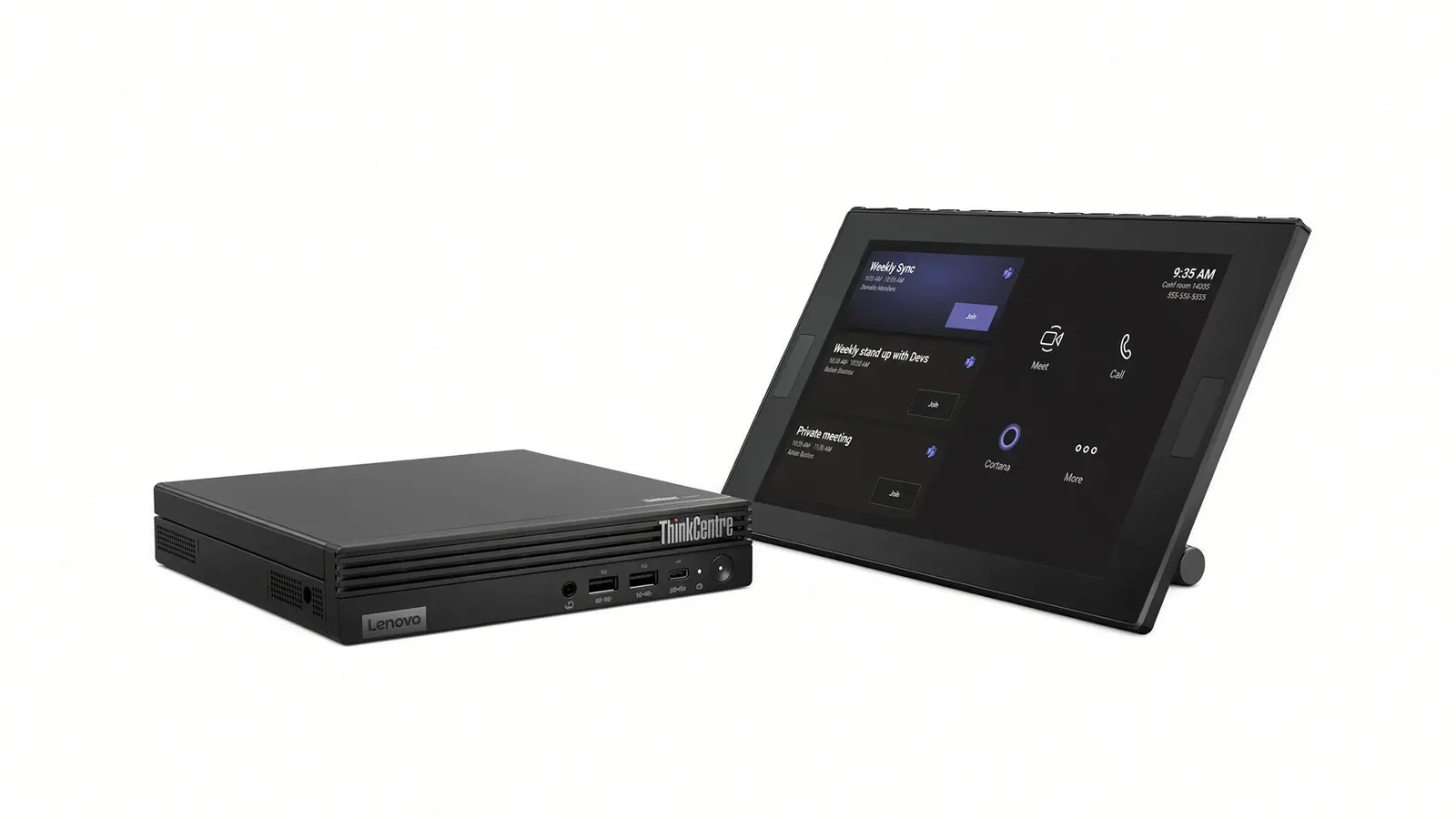
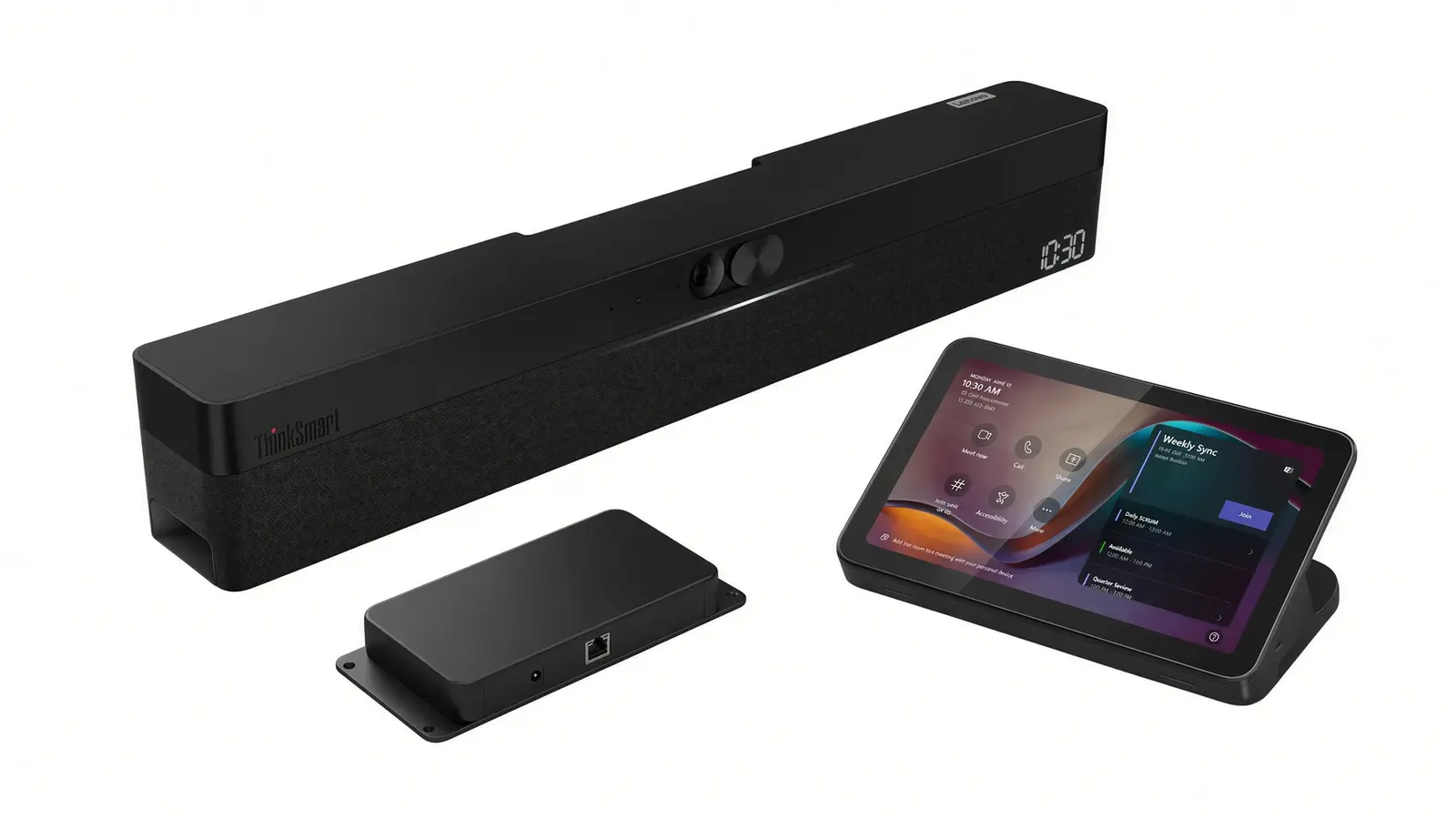
ThinkSmart Tiny Kit
Compact 13th Gen Intel Core i3 compute plus a 10.1 inch controller. Use it when the room already has a camera and speakers.
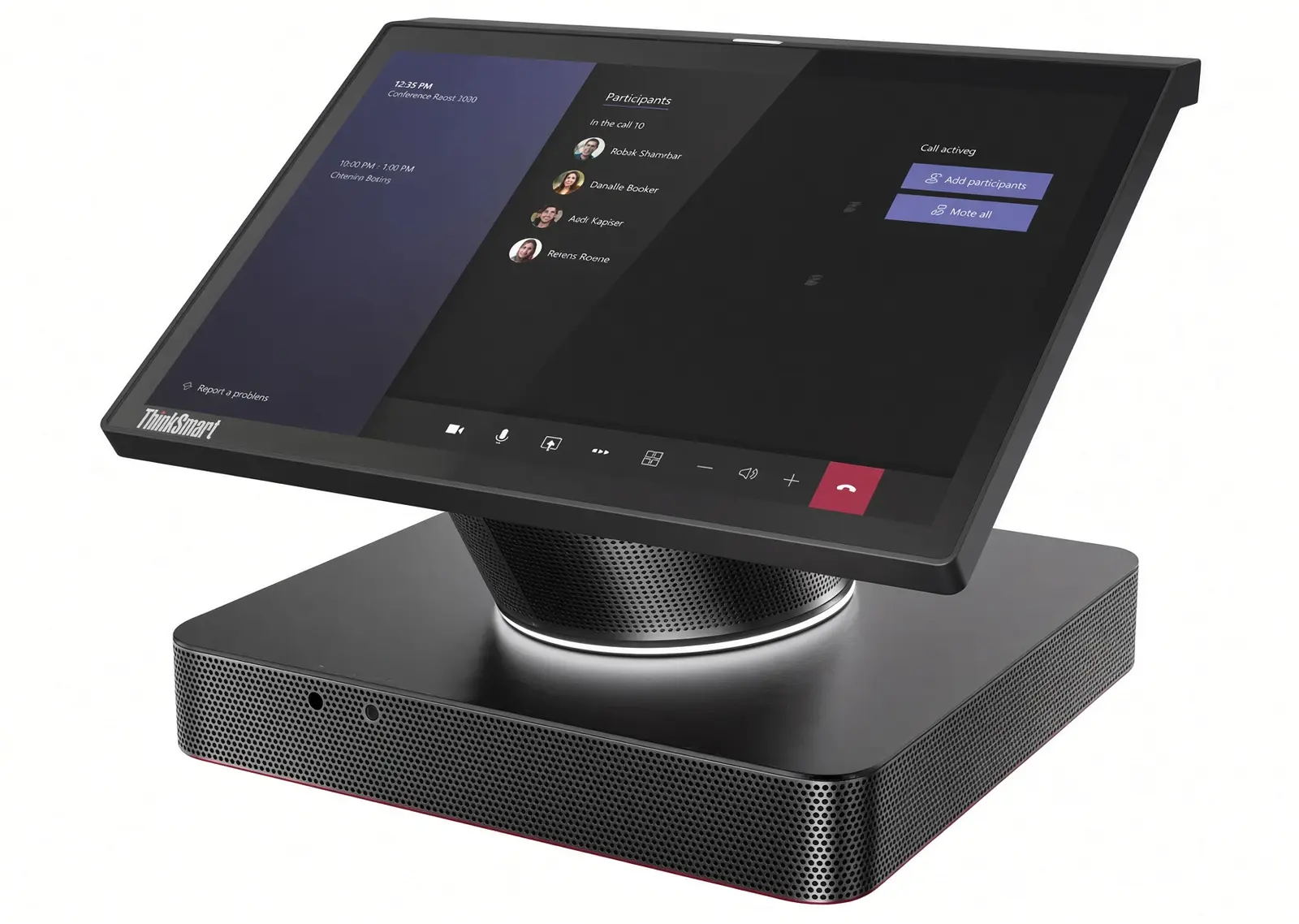
ThinkSmart Hub Gen 2
All-in-one tabletop for small and medium rooms. Join, four speakers and four microphones sit in the centre of the table.
ThinkSmart One Pro
Windows 11 IoT bar with an FHD camera, eight mics and 15 watt stereo speakers for small rooms.
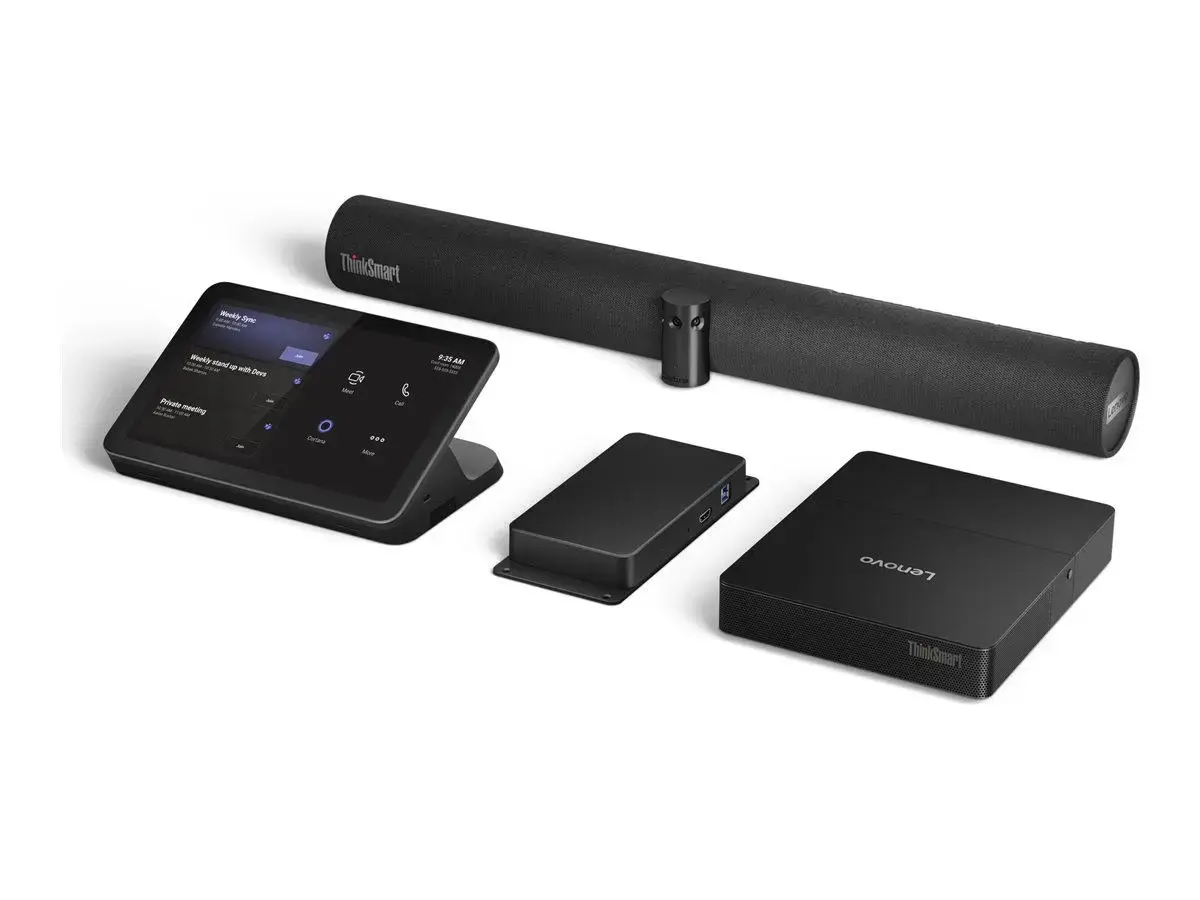
Core Gen 2 Full Room Kit
Intel Core Ultra compute, a 10.1 inch controller and ThinkSmart Bar 180 in one SKU for medium and large rooms.
What the spec must solve
The six decisions that make or break the room
Each one is a real trade-off. Paying for the wrong one is how projects overspend without working better.
Tabletop pickup versus a wall bar
Hub Gen 2 puts four speakers and four microphones in the centre of the table. One Pro and Bar 180 move camera and mics to the display wall. Pick the Hub when people stay seated around the wood. Pick a bar when the table must stay clear or presenters stand at the screen.
Complete kit versus Core plus existing AV
Full Room Kit and One Pro ship camera and audio in the box. Tiny Kit and Core plus Controller assume the room already has, or will get, a separate camera and speakerphone. Pay for a complete kit only if the current AV cannot cover the last chairs.
Native room versus BYOD
Native ThinkSmart kits run one platform. Core Gen 2 adds HDMI and USB ingest so a laptop can take the room, then give it back. One Pro publishes a USB-A BYOM cable path. Pay for that path only if guests actually use it.
One display versus two
Core Gen 2 and One Pro publish dual HDMI outputs. Front Row and gallery-plus-content layouts need that second panel. A single large screen is cheaper and cleaner in a narrow room. Dual displays are a furniture and wall decision first.
Manager Basic versus Premium
Basic covers status, updates and configuration. Premium adds bulk restarts, historical room analytics, mobile push alerts and Intel vPro remote management. Selected kits include Premium for year one. One room can start Basic. A floor of rooms usually cannot.
USB controller versus IP controller
ThinkSmart Controller uses USB-C from the compute. Lenovo IP Controller adds PoE and HDMI at the table so the cable plant stays short. Specify IP when the table is far from the display wall. Skip it when a 10 metre USB-C run is enough.
Compare approaches
Generic video bar, Hub tabletop, One Pro or Core compute
Each option wins in a real room. The table is here so you can stop buying the wrong category.
| Capability | Generic video bar | Hub Gen 2 | One Pro / Bar 180 | Core Gen 2 |
|---|---|---|---|---|
| One-touch Teams or Zoom join | If the bar is certified | Yes, native Hub | Yes, native bar kits | Yes, native compute |
| Same controller language across rooms | Varies by brand | Yes, 10.1 inch Hub | Yes, 10.1 inch controller | Yes, USB or IP controller |
| Guest laptop join | USB-C on many bars | Limited, camera is separate | BYOM path on One Pro | HDMI and USB ingest |
| Estate management | Varies by vendor cloud | ThinkSmart Manager | ThinkSmart Manager | ThinkSmart Manager plus vPro on Premium |
If the room is under about 6 people and a certified video bar already covers the table, start there. See meeting room planning.
Budgeting
What actually drives a ThinkSmart room quote
There is no honest single price for a ThinkSmart kit that survives contact with a real wall. These six lines are what Kasturi prices after a survey.
Kit family and platform
Tiny Kit, Hub Gen 2, One Pro, Bar 180 and Core Gen 2 are different bills of materials. Teams Rooms and Zoom Rooms are different SKUs and different room licences.
BYOD and controller type
USB ingest, HDMI ingest or an IP Controller each add a hardware line. Only specify them if visitors actually use them or the table is far from the wall.
Displays and wall works
ThinkVision E55 versus E65, a generic 4K panel, and single versus dual screens all change labour. The USB-C dock is only a saving if guests actually plug in.
Network and compute
A managed drop at the display, a drop at the table, and a clean VLAN for the room PC are part of the room. Retrofitting an office access switch is a common extra.
Manager and room licences
Microsoft and Zoom room licences sit outside the hardware. ThinkSmart Manager Premium renews after any included first year. Both belong in year-one cost.
Commissioning and training
Pairing, one-touch join, camera framing and operator handover belong in the first quote. Leaving them out makes a hardware-only bid look cheaper than the room you will run.
Every project is individually designed after a free site survey, so the quote fits the room rather than the other way around.
How we deliver
From first call to a working room
Site survey
We measure seats, table length, display wall, network drops and the meeting platform. Bring a furniture plan if the table is not yet in the room.
System design
Kit family, camera, audio, BYOD, controller type and ThinkSmart Manager tier go on one drawing. You see the join path before anyone orders hardware.
Install and commission
Mounts, pairing, one-touch join, camera framing and a live Teams or Zoom call from every seat. If a guest laptop must take the room, we test that on the same visit.
Handover and support
Operator training, Manager access, warranty terms and a local engineer path. Kasturi supports installs across Peninsular and East Malaysia.
Where the rooms go
Spaces we specify ThinkSmart for in Malaysia
Captions name the sector. Client names stay off the page unless written permission is held.
Core Gen 2 Full Room Kit with Bar 180 on a dual-display wall, table left clear.
Hub Gen 2 in the centre of an 8-seat table, camera on the display wall.
One Pro on a single display with the controller on a compact table.
Resources
Guides that sit beside this page
Meeting room AV planning
How a ThinkSmart kit sits with camera, display, sharing and control.
Microsoft Teams Rooms Malaysia
Certified room systems, including ThinkSmart kits, planned as an estate.
Zoom Rooms Malaysia
Licences, certified kits and what changes when the native platform is Zoom.
Questions
Lenovo ThinkSmart rooms in Malaysia, answered
How do I choose Lenovo ThinkSmart for a meeting room in Malaysia?
What is the difference between Tiny Kit, Hub Gen 2, One Pro, Bar 180 and Core Gen 2?
How much does a Lenovo ThinkSmart meeting room cost in Malaysia?
Does ThinkSmart work with Microsoft Teams and Zoom?
What is ThinkSmart Core Gen 2 Full Room Kit?
Should I buy ThinkSmart One Pro or ThinkSmart Hub Gen 2?
What is ThinkSmart Manager and do I need Premium?
What is BYOD or BYOM on ThinkSmart rooms?
What should be ready before ThinkSmart installation?
Does Kasturi install ThinkSmart rooms outside Klang Valley?
How long does a ThinkSmart meeting room project take?
Can one ThinkSmart standard cover every room in the office?
What is ThinkSmart Bar 180?
Do I still need a Teams Rooms or Zoom Rooms licence?
What is ThinkVision E55 and E65 in a ThinkSmart room?
How does Huddly pair with ThinkSmart in Malaysia?
Does Kasturi supply Lenovo headsets with ThinkSmart rooms?
Next step
Send the room. Get a kit plan and a quote.
Share seat count, platform and whether visitors join from a laptop. Kasturi replies within one business day with the next survey slot. The survey is free.
Or call +603 7960 1808, Monday to Friday, 9am to 6pm.