Audio
Every seat heard. Microphones and speakers mapped to your table plan, then tuned on site.
See speakers and DSPKasturi Technology, meeting room planning and installation in Malaysia
Meetings that just work, from the huddle room to the boardroom.
Plan the right conference camera, audio, display and all-in-one video bar for each room, platform and budget.
WhatsApp +6017 303 9377 Call +603 7960 1808
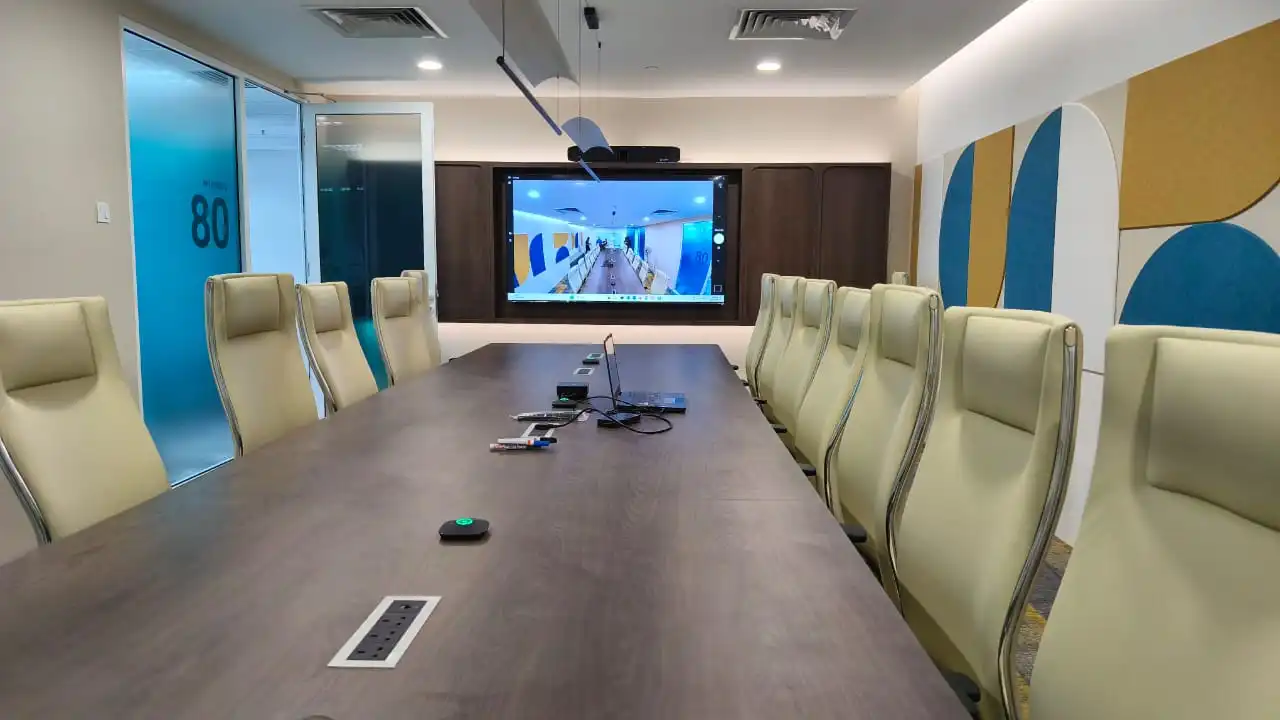
Meeting room system guide
A complete video conference system combines six parts: meeting platform, conference camera, microphones and speakers, displays, content sharing, and room control.
Start with room purpose, seat count, table layout and the farthest viewer. These details determine camera field of view, microphone pickup, speaker coverage and display size.
Compact rooms often suit an all-in-one video bar. Use BYOD for broad platform flexibility, or choose a native Teams, Zoom or Google Meet room for one-touch joining and central management.
Larger or difficult rooms may need modular equipment. Confirm Ethernet, power, wall structure, cable routes, lighting, HVAC noise, acoustics and support ownership before rollout.
What we install
Audio, video and control, designed and installed by our own engineers. No subcontractors, so nothing falls between vendors.
Every seat heard. Microphones and speakers mapped to your table plan, then tuned on site.
See speakers and DSPCameras and displays sized to the farthest seat, certified for your meeting platform.
See camera optionsOne touch starts the call. The panel wakes the screens and sets the camera.
See control optionsRoom Designer
Choose the closest answers. We will create a practical starting plan that you can send directly into your quote request.
About 60 seconds. No contact details required.
This is a planning recommendation, not a final engineering design. Kasturi will confirm equipment, placement and installation requirements after reviewing the room.
Add your name and email. Kasturi attaches this plan to your file, then a print view opens that you can save as a PDF.
Plan saved. The print view is opening. Choose Save as PDF in the print dialogue.
Free download
Fifty two pages for the person who has to specify the room, brief the integrator and defend the budget. Written for Malaysian projects, with every figure in ringgit.
In a hurry? The twelve page quick reference opens straight away, no details needed. Open the quick reference
Open each document below. Kasturi has your request, so an AV planner can pick up from here whenever you are ready.
Want a room reviewed against the guide? Send us the room details
Before selecting hardware
Answer these questions before comparing brands. Your answers define the system and help prevent gaps in camera, audio or display coverage.
List the calls the room must handle: internal collaboration, client presentations, training, board meetings or hybrid events. Purpose determines the level of control, content sharing and production needed.
Record room dimensions, ceiling height, table shape, seat positions and the farthest viewer. Capacity alone does not describe a long table, wide room or flexible training layout.
Decide whether users will bring a laptop, join from a dedicated Teams, Zoom or Meet room, or need both workflows. Include guest meetings and room account ownership.
Check microphone pickup at each speaking position, speaker coverage, reverberation and background noise. Hard surfaces and HVAC noise can reduce speech clarity even with a good microphone.
Map the closest and farthest seats, camera height, sightlines and field of view. Choose framing or tracking features after confirming that the lens can see each intended position.
Size the display for the farthest viewer. Decide whether people and content need separate screens, then confirm Ethernet, power, mounting surfaces and cable routes.
Operating mode
The room mode changes the user experience, platform flexibility, licensing and support model. Set it before choosing a video bar or room appliance.
A user connects a laptop to the room camera, microphones, speakers and display, then starts the call from the laptop.
A dedicated appliance, room account and touch controller provide a consistent join and control experience.
The room supports its native platform and allows a user to connect a laptop for other meeting services when required.
Room size and dimensions
Typical length and width for each room type, with the display, camera, microphones and speakers each one usually needs. Areas assume a 2.7 m ceiling.
| Room | Seats | Typical size, L x W | Area | Display | Camera | Microphones | Speakers |
|---|---|---|---|---|---|---|---|
| Focus booth | 1 to 2 | 1.2 x 1.5 m | 2 m² | 24 to 32 in | Laptop camera or a compact bar | Personal speakerphone or the bar | In the device |
| Huddle room | 2 to 4 | 3.0 x 2.7 m | 8 m² | 55 in | All-in-one bar, nearest face at least 1.2 m away | In the bar, no extra table mic | In the bar |
| Small meeting room | 4 to 6 | 4.9 x 4.9 m | 24 m² | 55 to 65 in | Bar with auto framing | Bar, plus one table mic if the last seat is beyond 2.6 m | In the bar |
| Standard meeting room | 6 to 12 | 5.5 x 6.0 m | 33 m² | 65 to 86 in | Bar with auto framing, or a PTZ with 4x to 5x zoom | Bar plus expansion mic, or one ceiling array | Bar, or two ceiling speakers |
| Large meeting room | 12 to 16 | 4.5 x 9.8 m | 44 m² | 110 in, 86 in accepted | PTZ with 10x to 12x zoom at the display wall | Two ceiling arrays over the table thirds | Three ceiling speakers |
| Boardroom | 16 to 24 | 7.0 x 12.0 m | 84 m² | 136 in LED, dual 98 in accepted | Two cameras with a director | Two ceiling arrays, plus a wireless mic for guests | Eight ceiling speakers on a 3.0 m grid, with a DSP |
| Training room | 20 to 40 | 8.0 x 12.0 m | 96 m² | Dual 98 in or an LED wall | PTZ with presenter tracking, plus an audience view | Ceiling arrays, plus a handheld and a lavalier | Ceiling speakers at 3.2 m spacing, with voice lift |
| Divisible room | 2 x 20 | 8.0 x 16.0 m | 128 m² | 2 x 98 in per half | One camera system per half | Ceiling arrays per half, one DSP with presets | Ceiling speakers per half, plus a partition sensor |
| Town hall | 60 to 200 | 12 x 20 m and up | 240 m² | LED wall or projection | Two or more cameras with a director | Four to six wireless channels | Distributed ceiling speakers or a line array |
Typical sizes from Kasturi's Meeting Room AV Buyer Guide 2026. Your own room may differ, so treat each row as a starting point for the site survey.
For a rectangular table with people on both long sides. Allow 0.9 m clear behind each chair and 1.2 m on the main walkway.
| Seats | Table, L x W | Room needed, L x W |
|---|---|---|
| 6 | 2.4 x 1.2 m | 4.2 x 3.0 m |
| 8 | 3.0 x 1.2 m | 4.8 x 3.6 m |
| 10 | 3.6 x 1.4 m | 5.4 x 3.9 m |
| 12 | 4.2 x 1.4 m | 6.0 x 4.2 m |
| 14 | 4.8 x 1.6 m | 6.6 x 4.5 m |
| 16 | 5.4 x 1.6 m | 7.2 x 4.8 m |
| 20 | 6.6 x 1.8 m | 8.4 x 5.4 m |
Under about 2.4 m, an all-in-one video bar can pick everyone up. Beyond that, no amount of beamforming makes the far seats sound close, so the room needs an expansion microphone or ceiling audio. Measure this before choosing anything.
A 44 m² room at 4.5 x 9.8 m and one at 6.6 x 6.6 m need different systems. The long room needs modular audio and probably two displays. The square room usually does not.
For general content the farthest viewer should sit no more than six image heights away, and four for spreadsheets. At 4.0 m that means about 54 inches for basic content and 80 inches for detail. Set the bottom edge 1.05 to 1.20 m above the floor.
Rooms are specified by seats at the table and used by everyone who squeezes in. Chairs along the wall sit outside microphone coverage and camera framing, so design for the real occupancy.
Room acoustics
Two numbers decide whether a room can carry a call. RT60 is how long sound takes to die away. NC is how loud the empty room is. Every microphone works better when both are on target.
How long a sound takes to fade by 60 dB. Too long and every voice smears into the next word.
How loud the room is with nobody talking. In Malaysian offices the usual culprit is the fan coil unit above the ceiling.
Glass absorbs almost no sound, so a room glazed on two or three sides has almost nothing to soak up speech. Treat the other surfaces instead: an absorbent ceiling across the full area, carpet with underlay, a fabric or slatted panel on the one solid wall, then heavy curtains. Film on the glass does very little.
Absorption earns its money on the surfaces that bounce sound back into the microphone.
A ducted fan coil unit above a small meeting room often measures NC-40 or worse at the table. Cheapest fix first: move the diffuser away from the table and microphones, fit a larger diffuser so the air moves slower, add 1.5 to 3.0 m of acoustic flexible duct, or move the unit out over the corridor.
Echo is sound inside the room. Isolation is sound leaving it, rated as Rw. Aim for Rw 40 to the corridor, Rw 45 between meeting rooms and Rw 50 or better for a confidential boardroom. Take the partition up to the slab, because a wall that stops at the ceiling tile isolates almost nothing.
A 5.5 x 6.0 x 2.7 m meeting room with plasterboard, glass and a standard ceiling measures about 1.1 s. Adding 20 m² of panels at NRC 0.85, about 16 percent of the surface, brings it to about 0.5 s. As a rule, treat 20 to 30 percent of the surface at NRC 0.80 or better.
Ask for RT60 measured in octave bands from 125 Hz to 4 kHz after treatment, and background noise measured with the aircon running normally. Each takes about twenty minutes with a calibrated meter, and both belong in the handover pack.
NRC runs from 0, which reflects everything, to 1, which absorbs everything.
| Finish | NRC | What it means |
|---|---|---|
| Glass, glazed partition | 0.03 | Effectively reflective |
| Painted plasterboard | 0.05 | Reflective |
| Vinyl or tile floor | 0.03 | Reflective |
| Carpet with underlay | 0.35 to 0.55 | Cheap and effective |
| Standard mineral fibre ceiling tile | 0.55 to 0.70 | The default upgrade |
| High performance acoustic tile | 0.85 to 0.95 | Worth the difference |
| 25 mm fabric wrapped panel | 0.75 to 0.85 | Good above 500 Hz |
| 50 mm panel with an air gap | 0.95 to 1.00 | Works down to 250 Hz |
Not sure how your room measures? Count its glass walls in the site survey checklist and Kasturi will flag the acoustic work before quoting equipment.
Planning budgets
Seat count gives you a starting point. Table shape, viewing distance, acoustics and meeting purpose decide the final equipment layout.
2 to 4 seats
5 to 12 seats
12+ seats
Flexible use
Starting prices cover hardware and system. Installation and cabling are quoted line by line after the survey. Training rooms, collaboration spaces and auditoriums are quoted after a survey too, because their layouts vary too much for one price.
See the full price listSite survey checklist
Complete six practical checks. Your answers will be arranged into one WhatsApp message for Kasturi's AV team to review.
Meeting room hardware
Every room is built from the same families: a video system, cameras, microphones, speakers and processing, control and sharing, and displays. Pick a room size to see a typical kit, or a category to compare the types.
One worked example, using Yealink's own room classes and the kits it recommends on yealink.com. Logitech, Poly, Neat, Cisco and Jabra build the same rooms from the same families of parts.
| Room, Yealink class | Video system | Microphones | Speakers and DSP | Add as needed |
|---|---|---|---|---|
| Focus and huddle, 1 to 5 people | MeetingBar A10 or A25 all-in-one bar. The A25 has a 151 degree field of view | In the bar | In the bar | RoomPanel E2 booking panel, PA20 sharing |
| Small room, 5 to 9 people | MeetingBar A40, or MVC S40 Teams Rooms on Windows with SmartVision 40, or MeetingBoard Pro 65 | Bar array, plus a VCM35 or VCM36-W extension mic | In the bar | MTower companion camera, RoomPanel E2, PA20 |
| Medium room, 7 to 15 people | MeetingBar A50 or MVC S50, both with triple 50 MP cameras | Bar array, or one CM20 ceiling mic | Bar speakers, or two CS10 ceiling speakers | MTower, RoomPanel E2, PA20 |
| Large room, 12 to 20 people | MVC S80 with the four-lens SmartVision 80, or MVC S90 with the UVC86 dual-eye 4K camera and 12x optical zoom | One CM50 Dante ceiling mic | Four CS10-D ceiling speakers, AP08 DSP | MTouch Plus, RoomSensor, PA20 |
| Boardroom | MVC S90 | Two CM50 ceiling mics | Six CS10-D ceiling speakers, AP08 DSP | MTouch Plus, RoomSensor |
| Training room | MVC S90 | Three CM50 ceiling mics, plus a handheld mic | Eight CS10-D ceiling speakers, AP08 DSP | MeetingBoard Pro, PA20 |
| Divisible room | Two MVC S90 systems | Two CM50 ceiling mics, plus a handheld mic | Eight CS10-D ceiling speakers, AP08 DSP | YPS20 partition sensor |
| Extra large, 20+ people | MVC S98: three SmartVision 80 cameras on an AVHub, expandable to nine cameras | CM50 ceiling mics | CS10 ceiling speakers | MTouch Plus, RoomSensor Pro |
Room classes, models and quantities as published on yealink.com, checked October 2026. Yealink's seat ranges overlap because it publishes them that way. Kasturi confirms the final kit after measuring the room.
Camera, microphones, speakers and, on most models, the meeting computer in one unit under the display. One mount, one power point and one network cable, often installed in a day.
A dedicated meeting computer, a separate camera and a touch console, certified for Microsoft Teams Rooms or Zoom Rooms. Microphones and speakers are chosen for the room instead of sitting at the display wall.
A touch display with a built-in camera, microphones and speakers, so the same screen runs the call and the whiteboard. In a normal meeting room the touch layer is rarely used, so do not pay for it by default.
A USB camera, microphones and speaker that a laptop borrows over one cable. The meeting runs on the laptop, so any platform works, but the room has no one-touch join and no room monitoring.
A camera has to fit everyone in the frame and make each face large enough to read. Choose the type from the distance to the farthest face.
| Farthest face | Field of view | Camera type |
|---|---|---|
| Under 2 m | 120 degrees | Fixed wide-angle bar |
| 2 to 4 m | 90 to 120 degrees | Bar with auto framing |
| 4 to 6 m | 70 to 90 degrees | Bar, or a PTZ with 4x to 5x zoom |
| 6 to 9 m | 60 to 80 degrees | PTZ with 10x to 12x zoom |
| Over 9 m | Multiple views | Two or more cameras with a director |
Assumes the camera is centred on the display wall and the table is no wider than 1.8 m. Mount the lens at 1.1 to 1.5 m, seated eye level.
A fixed wide lens that digitally crops to the people in the room. Most video bars use one. Keep the nearest face at least 1.2 m away, or the lens distorts it.
Pan, tilt and optical zoom on a motorised head, so it can frame a face 6 to 9 m away without cropping. Insist on optical zoom: digital zoom is only a crop. Many add auto framing and speaker or presenter tracking.
Several lenses stitched into one 180 degree image, so a camera on the display wall still sees the people sitting right beside it.
A second camera in the middle of the table that sees faces head on, while the front camera sees the room. The system switches to whichever view shows the talker best.
Two or more cameras switched automatically by software that follows the active microphone zone. It solves the far-seat problem that no single lens can.
Distance decides the microphone. Doubling the distance to the talker costs 6 dB of direct sound, and no processing gets it back.
Tuned with the bar's own speakers and echo canceller by one vendor, at no extra cost. The weakness is position: fixed at the display wall, the worst place in a long room. Quoted pickup ranges are the most the array can hear, not the distance at which the far end hears you well.
A puck or array on the table, cabled or wireless to the bar, so one echo canceller still runs the room. It sits closest to the talker, which gives the cleanest signal, but it also hears laptop fans, paper and tapping.
A flush ceiling panel that steers narrow pickup lobes at whoever is talking, with nothing on the table. Pickup and exclusion zones can be drawn around the door and the aircon. Plan one array per 4.5 m of table, 150 mm clear above the tile, 1.5 m from any ceiling speaker and 600 mm from air diffusers.
A microphone hung below a high or exposed ceiling to bring it closer to the talkers. It needs a designed suspension, or it looks improvised.
One microphone per seat, often with push to talk. It gives the clearest speech of any type and explicit control over who is heard, but it is formal and clutters the table.
Follows the presenter, and the only sensible choice for someone who moves. Budget for batteries and a charging dock, and buy systems that tune within the bands the Malaysian Communications and Multimedia Commission permits.
One echo canceller per room. A bar plus an independent ceiling array produces clipped first syllables, so any ceiling microphone must feed the bar or the DSP that already drives the speakers.
Spreads the far end's voice evenly, so the front row is not too loud and the back row is not straining. Coverage widens with ceiling height: a 90 degree speaker covers about 3.0 m at a 2.7 m ceiling and 3.6 m at 3.0 m.
A speaker bar or a pair of speakers at the display wall, so voices come from the screen. Far better than the display's own speakers, which fire into the wall and cannot be equalised.
The processor that runs echo cancellation, mixing, gating and room presets. In rooms longer than about 15 m it also runs voice lift, reinforcing a presenter by 3 to 6 dB at the back. At handover, take an exported copy of its configuration file.
Drives passive ceiling speakers. Rooms with more than four speakers, cable runs over 30 m or several zones use a 100 V line system, which taps each speaker at its own power on one shared cable. Network speakers powered over Ethernet need no separate amplifier.
The table panel that joins the meeting, shares content, sets the volume and ends the call. The first screen should have one obvious action, and nothing a normal user needs should be more than two taps away.
A panel at the door showing free or busy, with book now and release. It fixes the most common office complaint: rooms booked and never used. Specify PoE so it needs one cable.
Shares a laptop screen to the display through a USB dongle or an app, with no cable. Ask for wireless conferencing too, often called BYOM, so a guest laptop can also use the room camera and microphones. Keep one spare dongle for every two rooms.
A USB-C or HDMI connection at the table that carries video, USB and charging over one cable. Still the fastest and most reliable path, with wireless as the guest fallback.
Tells the system whether a moving wall is open or closed, so a divisible room switches between one room and two without anyone pressing a button.
Display size is arithmetic, not taste. It comes from the distance to the farthest viewer and the smallest text that must be readable.
| Farthest viewer | Basic content | Detailed content | Usually installed |
|---|---|---|---|
| 2.5 m | 34 in | 50 in | 55 in |
| 4.0 m | 54 in | 80 in | 75 in |
| 5.0 m | 67 in | 100 in | 86 in |
| 6.0 m | 80 in | 120 in | 98 in |
| 7.5 m | 100 in | 151 in | Dual 98 in or LED |
| 9.0 m | 120 in | 181 in | LED wall |
| 11.0 m | 147 in | 221 in | LED wall |
Basic content means presentations and video. Detailed content means spreadsheets and drawings. Two displays side by side do not make text bigger; they show people and content at once.
A 55 to 98 inch panel rated for at least 16 hours a day, with a matt surface and network or RS-232 control so the room can switch it on and off. A consumer TV may use the same panel, but not the same duty rating or warranty.
A touch display for writing on and annotating content. Worth having where people really use it, and an expensive extra where they do not.
Seamless direct view LED for pictures larger than any panel. Choose the pixel pitch from the nearest viewer: comfortable viewing distance in metres is roughly the pitch in millimetres times 1.5.
Ceiling mics, touch panels, scheduling panels, PTZ cameras and network speakers increasingly run on Power over Ethernet. Add up every device before IT orders the switch: a boardroom can need 120 to 180 W of PoE. Network audio such as Dante also needs a managed switch, usually on its own VLAN.
Carry video and USB beyond what a cable can do. Passive USB 3 stops at about 3 m and HDMI at about 5 m. HDBaseT reaches 100 m over shielded Cat6a, and AV over IP sends video across floors on the network.
Our process
Kasturi turns the room brief into a documented system, tests the meeting workflow and hands the room to its support owner.
Every room must pass a one button test: anyone can walk in and start a call without calling IT.
Book a free site surveyConfirm dimensions, seating, sightlines, acoustics, lighting, power, network access and cable routes.
Document the operating mode, camera and audio coverage, displays, sharing, control and planning budget.
Mount, cable and configure the equipment, then run a real test call to check framing, speech clarity, content and control.
Train room users and support staff, record device ownership and confirm the route for warranty or maintenance requests.
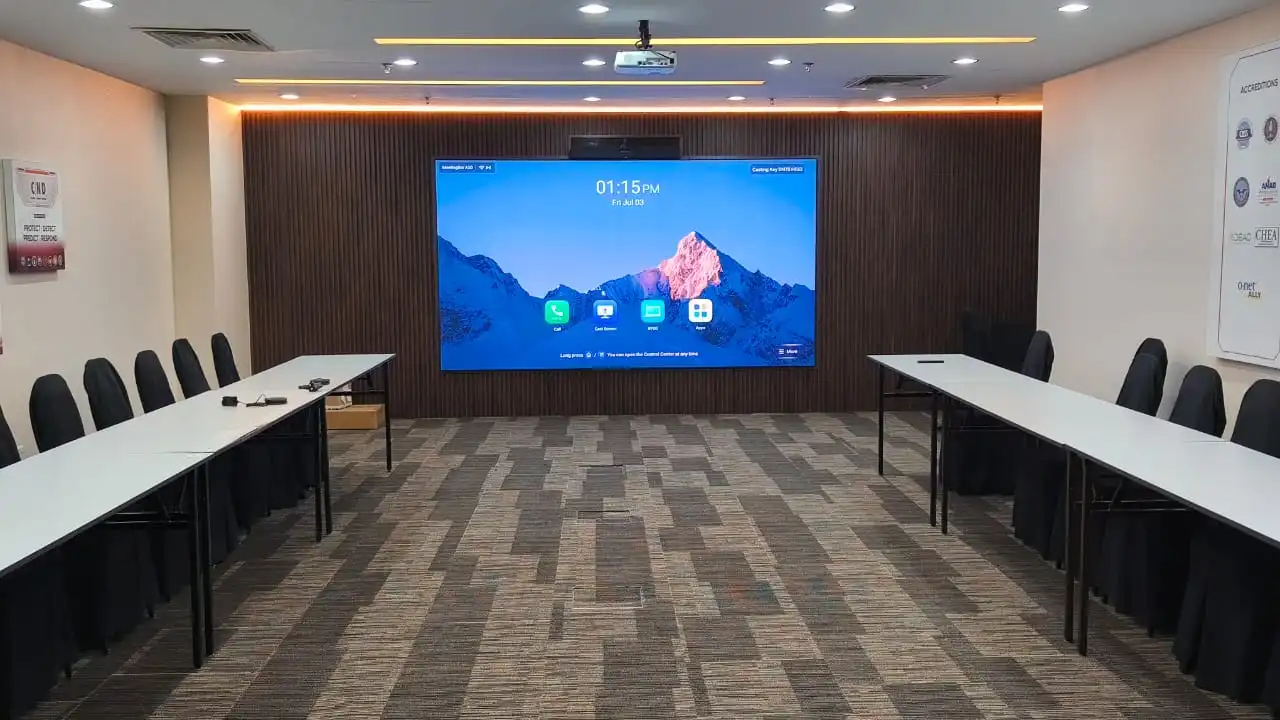
Brands and sectors
Kasturi combines room platforms, cameras, audio, displays and wireless sharing from established AV brands. We recommend the mix that fits your room, workflow and support model.
Platform certification, warranty terms and device availability vary by product. Kasturi will confirm each item in the proposed room schedule.
FAQ
Use these answers to prepare your room brief, compare quotations and identify the checks needed before installation.
Free site survey
Share the number of rooms, seats, meeting platform and target date. Kasturi will review the scope and discuss the camera, audio, display and control approach with you.
We reply within one business day. The survey is free in Peninsular Malaysia.
Not ready to talk yet? Take the 52 page buyer guide instead
Tell us about your room. We will review the scope and contact you.
Thank you. Kasturi's sales team has your room details and will reply within one business day.
Continue on WhatsApp