How much does a video conferencing system cost in Malaysia?
A video conferencing system in Malaysia costs from RM 8,000 for a huddle room, RM 15,000 to RM 35,000 for a standard meeting room and RM 30,000 to RM 80,000 for a boardroom. Those are hardware and system budgets. Installation and cabling are quoted after a site survey. A fully installed Kasturi package, with the display, mounting, cabling, installation and one year of warranty support, starts from RM 14,500 for a huddle room and from RM 46,000 for a standard meeting room. A boardroom with ceiling microphones, separate cameras and a control processor runs RM 160,000 to RM 320,000.
Prices from Kasturi's published pricing and package pages, checked 9 November 2026. Your written quote is the final figure.
Huddle room
2 to 6 people
From RM 8,000
- All-in-one video bar with camera, microphones and speakers
- Laptop connection or a small touch controller
- Often works with a display you already own
Meeting room
6 to 12 people
RM 15,000 to RM 35,000
- Video bar or camera with table microphones
- Touch console for one-tap joining
- One or two displays sized for the far seat
Boardroom
12 or more people
RM 30,000 to RM 80,000
- Separate cameras that frame each speaker
- Ceiling or table microphone array with audio processing
- Control system, large display or LED wall
2,500+
rooms fitted by Kasturi since 1998
1 day
to install a huddle package
1 to 2 days
for a standard meeting room
1 year
warranty support on every package
The same seat count can land at either end of its band. A six-seat room with a good screen, power and a cable route already in place may only need a video bar, a mount and an afternoon of setup. A six-seat room with a glass wall, no cable route and a request for calendar booking needs acoustic work, a cable extension, a room account and a touch console as well. These are the things that move the price.
| Room | Budget band | Pushes the cost up |
|---|---|---|
| Huddle room, 2 to 6 people | From RM 8,000 | A new display, wall mounting, a touch console, a room licence instead of laptop meetings |
| Meeting room, 6 to 12 people | RM 15,000 to RM 35,000 | Long tables that need extra microphones, a second screen, hard glass walls, cables run through ceilings |
| Boardroom, 12 or more people | RM 30,000 to RM 80,000 | Several cameras, ceiling microphones, audio processing, an LED wall, a control system. A Premium boardroom runs RM 160,000 to RM 320,000 |
| Training or divisible room | From RM 70,000 | Presenter and audience modes, rooms that split and join, recording, amplified speech |
How much does each room size cost at each specification level?
Find your room by headcount, then read across. Essential is a video bar or a bring your own device kit. Standard adds the parts that make a room easy to use every day. Premium is a modular system designed around the room rather than a bar on the wall.
| Space | Essential | Standard | Premium |
|---|---|---|---|
| Focus booth AV only, pod excluded | RM 3,000 to 6,000 | RM 6,000 to 10,000 | Not applicable |
| Huddle room 3 to 5 people | RM 8,000 to 14,000 | RM 14,000 to 22,000 | RM 22,000 to 32,000 |
| Small meeting room 4 to 6 people | RM 12,000 to 20,000 | RM 20,000 to 32,000 | RM 32,000 to 48,000 |
| Standard meeting room 6 to 12 people | RM 15,000 to 35,000 | RM 35,000 to 62,000 | RM 62,000 to 95,000 |
| Large meeting room 12 to 16 people | RM 35,000 to 65,000 | RM 65,000 to 110,000 | RM 110,000 to 180,000 |
| Boardroom 16 to 24 people | RM 30,000 to 80,000 | RM 80,000 to 160,000 | RM 160,000 to 320,000 |
| Training room 20 to 40 people | RM 70,000 to 140,000 | RM 140,000 to 260,000 | RM 260,000 to 450,000 |
| Divisible room 2 rooms of 20 | RM 150,000 to 260,000 | RM 260,000 to 450,000 | RM 450,000 to 800,000 |
| Town hall 60 to 200 people | RM 180,000 to 380,000 | RM 380,000 to 750,000 | RM 750,000 and above |
Kasturi planning estimates for the Klang Valley as at September 2026, built from our own quoted and delivered projects, current distributor pricing and published local labour rates. Not a quotation. Excludes SST.
What each tier contains
- Essential: a display, a certified all-in-one video bar or a bring your own device kit, the mount and the cables.
- Standard adds a larger or second display, an expansion microphone, a touch console, wireless presentation and proper cable management.
- Premium is modular: an audio processor (DSP), ceiling microphone arrays, ceiling loudspeakers, separate cameras, a control processor, a rack and full commissioning.
Most companies start a huddle or meeting room at Essential and move to Standard when staff complain they cannot be heard at the far end of the table or cannot start a meeting without help. Boardrooms and training rooms where senior people or clients sit usually justify Premium, because that is where a failed call costs the most.
Budget band or installed package: which price should you compare?
Compare the installed package price when you want one figure that covers the finished room. The budget bands above cover the video conferencing hardware and system. Kasturi's installed packages add the display, mount, cabling, on-site installation and one year of warranty support, which is why a huddle package starts at RM 14,500 while the huddle hardware band starts at RM 8,000.
| Package | What it includes | Install time | Capacity | Price |
|---|---|---|---|---|
| Phone booth | 32 inch monitor, 4K webcam, USB speakerphone | 1 day | 1 to 2 people | From RM 6,200 |
| Huddle room | 55 inch 4K display, all-in-one video bar, one-tap start | 1 day | 2 to 4 people | From RM 14,500 |
| Standard meeting room | 85 inch 4K display, video bar, tabletop microphone pods, touch controller | 1 to 2 days | 4 to 12 people | From RM 46,000 |
| Board room | 135 inch LED video wall, two PTZ cameras, ceiling microphone array, touch control system | 2 to 3 days | 8 to 20 people | From RM 211,000 |
| Training room | 162 inch LED video wall, two PTZ cameras, ceiling microphones, eight speakers | Site dependent | 20 to 60 people | From RM 286,600 |
| Event space | Large format LED, line array speakers, wireless microphone management | Site dependent | 50 or more | From RM 450,000 |
Every package is also available as Hardware as a Service, so you can spread the cost instead of paying it all upfront. Rent to Lease lets you upgrade or return the equipment at the end of the term. Rent to Own builds toward ownership.
How much does each meeting platform add?
The platform decides two costs: which hardware you can use, and whether the room needs its own licence. Pick the platform your company already uses for most calls, then choose certified hardware for it.
Laptop led rooms (bring your own device)
The cheapest way to run a room. The laptop runs the call and plugs into the room's camera, microphones, speakers and display, usually through one USB cable. There is no room licence, because each person uses their own account. Test the laptops your staff and visitors actually carry: ports, drivers and cable reach vary. Sharing slides wirelessly does not, on its own, give a laptop the room camera and microphones.
Dedicated room systems
The room has its own computer that runs Microsoft Teams Rooms, Zoom Rooms, Google Meet or Webex, so anyone can walk in and start a meeting from the touch console. This is what most companies choose for meeting rooms and boardrooms. It needs a room licence or subscription from the platform, billed per room on a subscription separate from the hardware, plus a room account and calendar set up by your IT team. A normal user licence is not a substitute for a room licence.
Rooms that join any platform
Clients invite you on Zoom, your company uses Teams, a partner sends Google Meet. Some room systems can join other platforms directly, and a laptop fallback covers the rest. A multiplatform room costs a little more to set up but saves staff from carrying laptops to every call. Zoapi explained shows one way to do it.
Which brands fit each budget?
Every major brand makes a video bar for small and medium rooms, so the brand rarely decides the budget. The platform you use, the room size and the support you need decide it. Kasturi is an authorised partner of Logitech, HP Poly, Yealink, Cisco, Neat, Jabra, Lenovo, MAXHUB and Huddly for video, and Shure, Biamp and Q-SYS for audio, so we can quote the same room on more than one brand and show you the difference.
- Huddle and meeting rooms: all-in-one video bars from Logitech, Yealink, HP Poly, Neat, Jabra and Lenovo cover most rooms up to about 12 people.
- Interactive rooms: all-in-one boards from Neat, Cisco and MAXHUB combine the screen, camera and whiteboard in one unit.
- Boardrooms and training rooms: separate cameras with ceiling microphones from Shure, and audio processing from Q-SYS or Biamp, cover long tables and large rooms.
What should a video conferencing quote include?
A complete quote lists the exact models, quantities and work for every line, so you can compare suppliers on the same room. Ask for this breakdown before you compare totals.
| Line item | What the quote should name | Often left out |
|---|---|---|
| Display and mounting | Number, size and type of screens, mount or trolley, mounting height | Wall reinforcement, a second screen, removal of the old screen |
| Camera and room computer | Camera coverage, video bar or room computer, platform it runs | An extra camera, speaker tracking, the room licence |
| Microphones and speakers | Pickup across every seat, speaker coverage, audio processing if needed | Extra microphones for a long table, ceiling speakers, audio tuning |
| Sharing and control | Wired and wireless sharing, touch console, room booking panel if wanted | Adapters, guest workflow, custom control programming |
| Cabling | Cables, extenders, labelling, rack if needed | Long cable runs, floor boxes, power points, network points |
| Installation and setup | Delivery, mounting, cabling, configuration, working hours | After hours work, building permits, extra site visits |
| Testing and handover | Test call, documentation, staff training, sign off | A real far end test, recovery test, drawings |
| Warranty and support | Warranty period, who handles faults, how fast | On-site labour, loan units, software updates |
For the display, check that a shared spreadsheet is readable from the farthest seat. A screen that is big enough for faces can be too small for documents, and that is a common reason a meeting room quote grows. Large rooms often move to an LED video wall; our LED wall buying guide covers sizes and costs.
What costs extra, and who pays for it?
Building work around the AV system is the most common source of surprise costs. Agree who owns each item, what it costs and when it will be ready before installation day.
| Work | Usually handled by | Agree in writing |
|---|---|---|
| Power points and electrical work | Building management or an electrical contractor | Locations, completion date, tested before AV install |
| Network points, switch ports and firewall | Your IT team or network contractor | Port list, PoE capacity, firewall rules for the platform |
| Conduit, trunking, floor boxes and ceiling access | Fit-out or M&E contractor | Cable routes and when they will be open |
| Wall reinforcement, ceiling supports and making good | Main contractor or building team | Mounting approval, patching and repainting |
| Table cut-outs, furniture and blinds | Interior or furniture contractor | Grommet positions and daylight control |
| Acoustic treatment | Facilities or an acoustic specialist | Who surveys, supplies, installs and tests |
| Room licences and calendars | IT or software procurement | Who buys, assigns and renews each licence |
What in the room itself drives the cost?
The room matters as much as the equipment. These five conditions decide most of the difference between two quotes for rooms of the same size.
Room size and layout
Seat count is a starting point. Room length, table shape and where people sit decide how many cameras and microphones you need. A huddle room where every seat is close to the screen can run on one video bar.
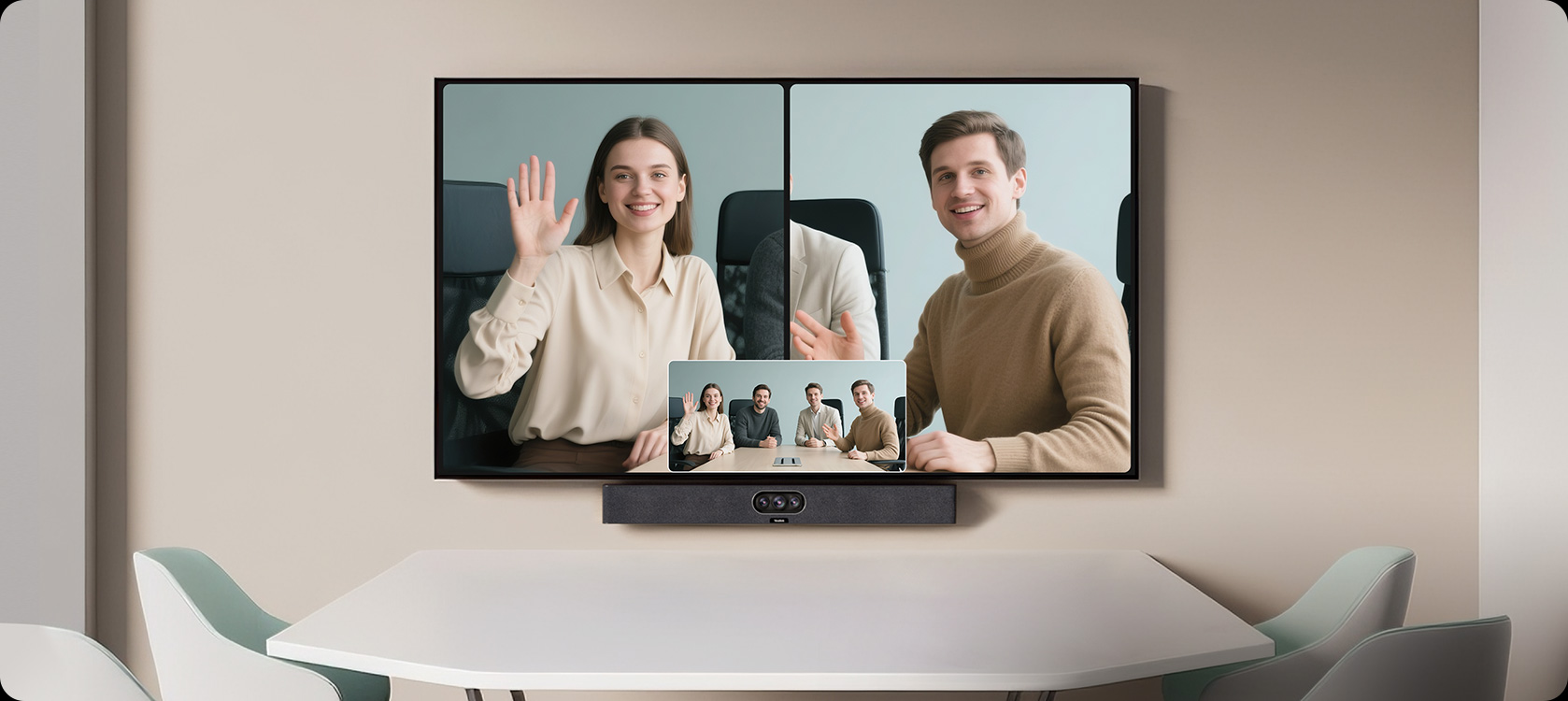
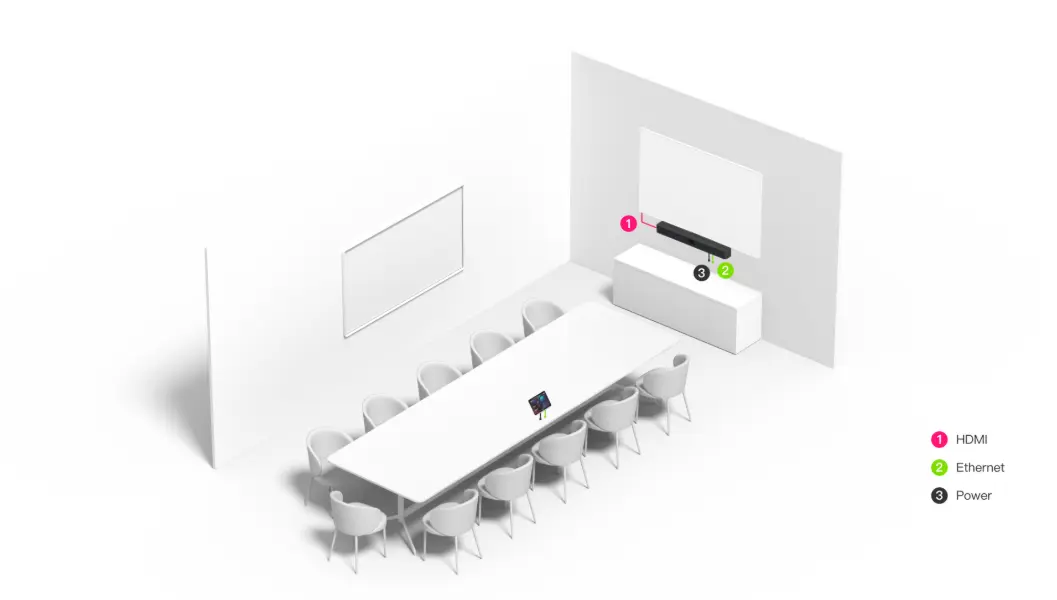
A standard meeting room needs every seat heard, not only the seats nearest the bar. That often means a table microphone or a second pickup point.
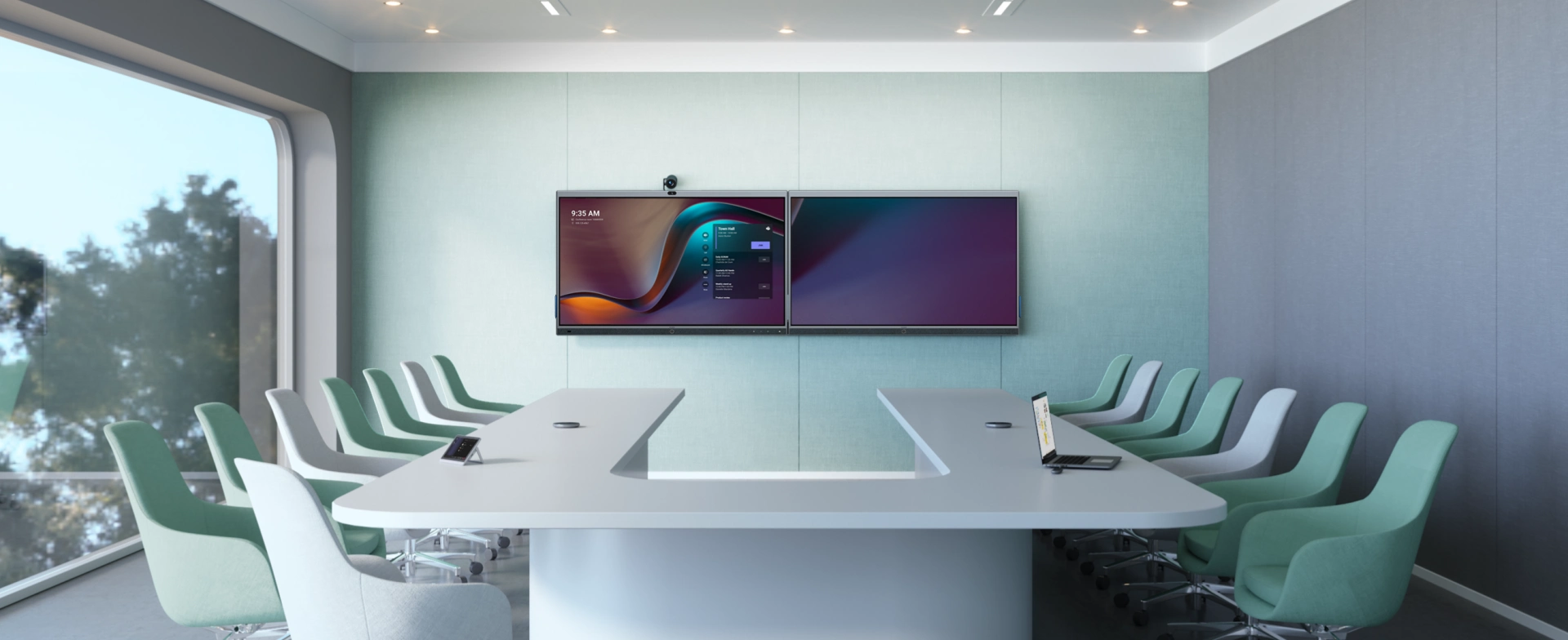
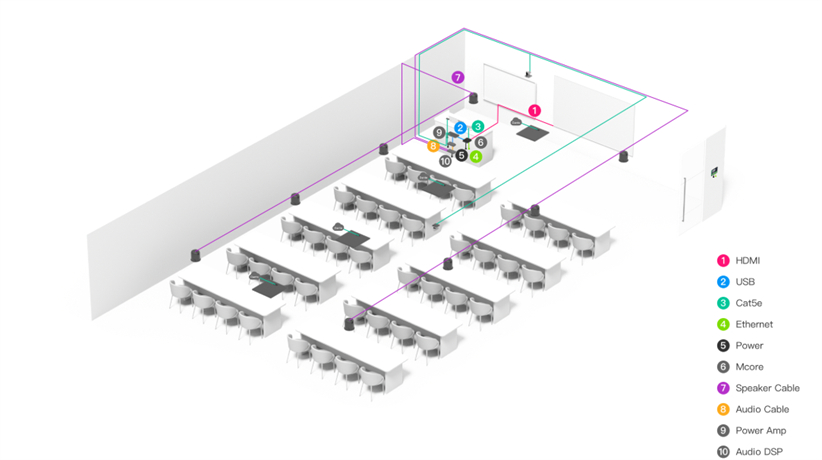
Training rooms and rooms that divide need presenter and audience modes, and every mode has to be wired, programmed and tested. That is why they start from RM 70,000 and the final figure comes after a survey.
Acoustics
Listen to the room with the air conditioning running. Glass walls and bare surfaces make speech echo, and fans and corridor noise mask it. Microphone processing helps, but it cannot fix a room that is too loud or too reverberant. If the room has hard surfaces, budget for treatment or better microphones. Our audio solutions page covers both.
Lighting
Strong window light behind people turns faces into silhouettes on camera. Blinds or a change of camera position usually solve it, and cost less than a better camera.
Power, mounting and cable routes
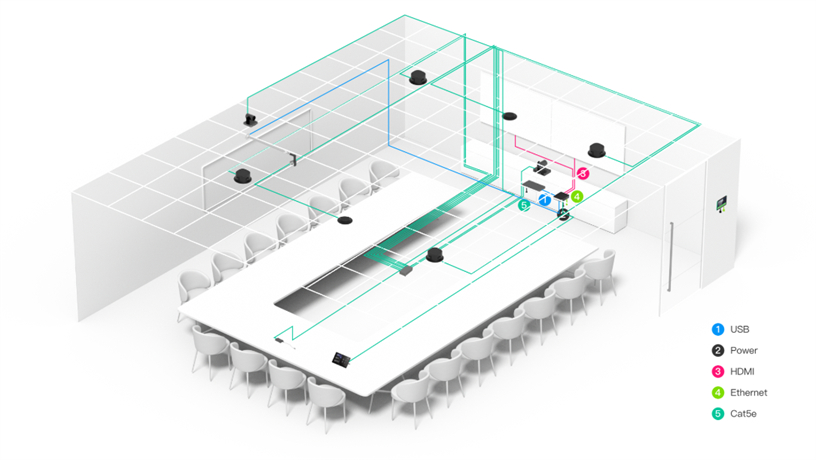
Agree where power points, network points, conduit and floor boxes go before walls and ceilings close. Screens and ceiling speakers need proper support. Fixed electrical work should be done by a registered electrical contractor; see Suruhanjaya Tenaga's competent person guidance. In an older room, test any cable you plan to reuse.
Network and accounts
Your IT team confirms the network ports, Power over Ethernet, firewall access for the platform, room accounts and calendars. Test the connection in the room itself, not at a nearby desk. Agree who applies updates and who gets alerts when a device goes offline.
How long does installation take?
A huddle room takes about one day to install, a standard meeting room one to two days and a boardroom two to three days, once power, network and cable routes are ready. Training rooms and event spaces depend on the site. Equipment lead time is confirmed in your quote.
| Room | On-site installation |
|---|---|
| Phone booth or huddle room | 1 day |
| Standard meeting room | 1 to 2 days |
| Boardroom | 2 to 3 days |
| Training room or event space | Depends on the site |
Delays usually come from the building, not the AV: power points not ready, ceilings closed before cables are pulled, or network ports not opened. For an occupied office, agree when work can happen and who books the lift and building permits.
How do you know the room works before you sign off?
Agree the tests before work starts, and sign off only when the room passes them. A device that switches on is not proof that a hybrid meeting works.
- Join a real meeting. Start it from the room calendar or touch console, then try a guest invite and a laptop connection.
- Listen from the far end. Have a remote colleague listen while people speak normally from the near, middle and far seats with the air conditioning on.
- Check what people see. Confirm the camera frames everyone and that a real document is readable from the farthest seat.
- Test the changeovers. Switch between presenting and calling, restart the system, and check each mode in a divisible room.
- Collect the handover pack. Equipment and serial list, labelled cabling, quick start guide, staff training, warranty contact and any open defects.
What does a video conferencing room cost to own?
The purchase price is only part of the cost. Compare quotes over the same period, usually the years you expect to keep the room, using one formula: initial project + yearly costs + planned replacement.
- Initial project: equipment, delivery, installation, setup, testing, room works and your IT team's time.
- Yearly costs: room licences, management software, support contracts, call-outs and any lease payments.
- Replacement: what happens when the warranty ends, when a part fails, or when the platform stops supporting a device.
If the upfront figure is the problem, Hardware as a Service spreads it into regular payments. Compare the total of all payments, what support is covered and what happens at the end of the term against buying outright.
How do you get an accurate quote?
Send the same brief to every supplier so they all price the same room. Kasturi offers a free site survey and replies within one business day.
- Site and timing: location, number of rooms, new fit-out or existing office, target date.
- Room details: length and width, table layout, seat count, photos of the walls and ceiling, any glass or noise problems.
- How you meet: Teams, Zoom, Google Meet, Webex or laptops, how often guests join, what you share.
- What you have: equipment to reuse, available power and network points, cable routes.
- What the price should cover: equipment, installation, cabling, licences, testing and support, and what your other contractors will handle.
Get an itemised quote for your room
Send your floor plan, seat count and meeting platform. Ask for the equipment, installation and yearly costs on separate lines, with a written list of what is not included.